


FAQ
Veelgestelde vragen
Hier vind je antwoorden op veelgestelde vragen, handige instructies en oplossingen voor de meest voorkomende situaties met je VirtuFit-fitnessapparatuur. Kies hieronder je apparaat en vind snel wat je zoekt over onderhoud, montage en storingen.
Waar heb je een vraag over?
Loopbanden
Levensduur verlengen
- Ga bij het aanzetten eerst op de zijranden staan, voordat de band begint te lopen. Stap pas op het loopvlak als de band draait. Zo belast je de motor zo min mogelijk.
- Zet de loopband na gebruik uit met de aan/uit-schakelaar. Gebruik de noodstop alleen in noodgevallen; zo spaar je de printplaat.
- Maak de loopband na elk gebruik schoon met een licht vochtige doek en milde zeep. Zweet dat niet op tijd wordt verwijderd, kan roest veroorzaken.
- Smeer het loopdek regelmatig met vaseline of siliconenolie, afhankelijk van het gebruik ongeveer elke twee maanden. Een droog loopdek loopt minder soepel en maakt meer geluid.
- Zet de loopband niet in een vochtige ruimte, zoals een schuur of naast de wasmachine.
- Controleer de bouten elk halfjaar en draai ze zo nodig aan.
- Schroef één keer per jaar de motorkap los (met de stroom uitgeschakeld) en verwijder het stof rond de motor, ook bij de ventilatie.
Montage
Ik mis onderdelen
Controleer zorgvuldig het piepschuim en het apparaat zelf. Sommige onderdelen (bouten, schroeven en dergelijke) zitten mogelijk al aan het apparaat vast.
Ik krijg een foutmelding na de montage
Controleer of alle kabels goed zijn aangesloten. De aluminium poten zijn kwetsbaar en moeten recht blijven. Krijg je na de montage een foutmelding, buig de aluminium poten dan voorzichtig recht; dat lost het probleem vaak op.
Hoe draai ik de inbusbouten goed vast?
Loopbanden worden gemonteerd met inbusbouten. Zorg dat de inbussleutel helemaal in de bout zit voordat je kracht zet. Zo voorkom je dat de kop van de bout doldraait.
Hoe strak moet de loopband zitten?
De band moet 5–7 cm speling hebben. Test dit door op de voetranden te gaan staan en de band aan beide kanten op te tillen. In de handleiding staat hoe je de spanning van de band bijstelt. Bij je leverancier is mogelijk ook een uitlegvideo beschikbaar.
Hoe monteer ik de gasveer?
Monteer het opklapslot/de gasveer met twee personen: één houdt de loopband vast, de ander monteert het slot.
Storingen
De hellingshoek werkt niet
In de handleiding staat stap voor stap hoe je de loopband kalibreert. Heb je de handleiding niet meer, vraag dan een nieuwe aan bij je leverancier.
De hartslagmeting werkt niet
Mogelijke oorzaken:
- De sensorkabels zitten niet goed vast of zijn tijdens het gebruik losgeraakt.
- De sensoren zijn nat, vuil of vettig. Maak ze regelmatig schoon.
- Eelt op je handen kan de meting verstoren. Gebruik in dat geval een borstband.
De band loopt scheef
Stel de spanrol bij. Loopt de band naar links, draai dan de linkerkant aan; loopt de band naar rechts, draai dan de rechterkant aan. Met de klok mee draaien is aanspannen. Bij je leverancier is mogelijk een uitlegvideo beschikbaar.
Ik hoor een bonkend geluid
Een licht bonkend geluid is normaal. De band is in het midden aan elkaar gesmolten en die naad kan tijdens het lopen dit geluid geven.
De loopband hapert tijdens het lopen
De band loopt over een gladde plaat die je gewicht draagt. Bij elke stap wordt de band op deze plaat gedrukt. Die plaat moet glad blijven om wrijving of vastlopen te voorkomen. Smeer het loopdek daarom regelmatig.
De loopband gaat niet aan
Elke loopband heeft een veiligheidssleutel (Safety Key) die op de console moet zitten. Zonder deze sleutel werkt de loopband niet. Kijk in de handleiding waar de sleutel hoort.
Foutcode E1
Oplossing 1: onder de motorkap zit bij de rol een snelheidssensor. Staat die te ver van de magneet, dan kan de snelheid niet worden gelezen en verschijnt E1. Schuif de sensor dichter naar de magneet.
Oplossing 2: werkt dat niet, dan is de kabel mogelijk door trillingen losgeraakt. Sluit de kabel opnieuw aan op de sensor en op de printplaat.
Foutcode E3
E3 wijst op een defecte printplaat. Vervang de complete printplaat; die zit meestal met twee schroeven vast. Maak eerst een foto van de printplaat voordat je kabels loskoppelt. Kabels kunnen vastgelijmd zijn: maak ze voorzichtig los met een kleine schroevendraaier. Sluit de nieuwe printplaat daarna aan volgens de foto.
Foutcode E7
De veiligheidssleutel zit niet op de loopband. Plaats de sleutel op het display om verder te gaan.
Noodstop
Hoe beveilig ik de loopband, bijvoorbeeld voor kleine kinderen?
Verwijder na gebruik de veiligheidssleutel. Zet altijd eerst de hoofdschakelaar uit voordat je de sleutel verwijdert.
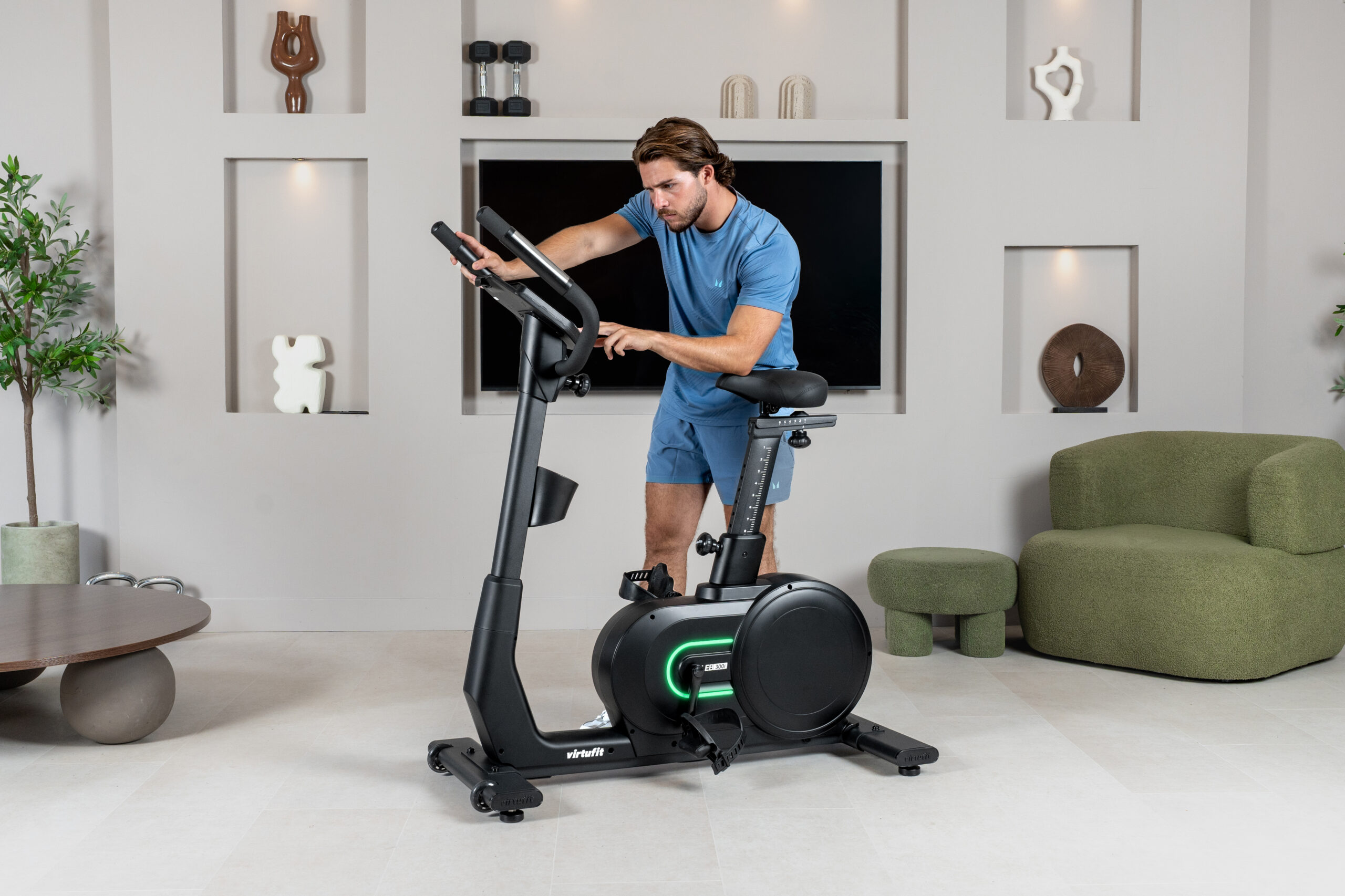
Hometrainers
Levensduur verlengen
- Controleer de bouten elk halfjaar en draai ze zo nodig aan.
- Maak de hometrainer na elk gebruik schoon met een licht vochtige doek en milde zeep. Zweet dat niet op tijd wordt verwijderd, kan roest veroorzaken.
- Zet de hometrainer niet in een vochtige ruimte, zoals een schuur of een washok.
Montage
Ik mis onderdelen
Controleer zorgvuldig het piepschuim en het apparaat zelf. Sommige onderdelen (bouten, schroeven en dergelijke) zitten mogelijk al aan of in het apparaat.
Hoe monteer ik de pedalen?
Het linkerpedaal draai je tegen de klok in vast, het rechterpedaal met de klok mee. Draai je het linkerpedaal met de klok mee, dan kan de schroefdraad beschadigen en is het pedaal niet meer te gebruiken.
Ik krijg een foutmelding na de montage
Controleer of alle kabels goed zijn aangesloten. De aluminium poten zijn kwetsbaar en moeten recht blijven. Krijg je na de montage een foutmelding, buig de aluminium poten dan voorzichtig recht; dat lost het probleem vaak op.
Waar zitten de kabels voor de hartslagmeting?
De kabels voor de hartslagmeting zitten in het stuur en zijn vaak deels weggestopt. Trek ze vóór de montage zo ver mogelijk naar buiten; daar is weinig kracht voor nodig.
Waar komen de transportwieltjes?
Monteer de transportwieltjes aan de voorkant van het apparaat.
Hoe draai ik de inbusbouten goed vast?
Veel hometrainers worden gemonteerd met inbusbouten. Zorg dat de inbussleutel helemaal in de bout zit voordat je kracht zet. Zo voorkom je dat de kop van de bout doldraait.
Foutcode E1
In de behuizing zit bij het vliegwiel een sensor die de snelheid meet, net als een gewone fietscomputer. Aan de spaak zit een magneet en de sensor zit daar vlakbij. Staat de sensor te ver van de magneet, dan kan de snelheid niet worden gelezen en toont het display E1. Zoek de sensor in de behuizing op en schuif hem naar de magneet tot hij die bijna raakt.
Storingen
Mijn hometrainer piept
Smeer eerst alle bewegende delen in met siliconenspray. Piepen kan ook ontstaan als een schroef te strak of te los zit en daardoor wrijving geeft. Zoek uit waar het geluid vandaan komt en stel die schroef iets bij. Schroeven moeten zo vastzitten dat je ze nog met de hand kunt losdraaien.
Er is geen weerstand
Luister eerst of je de motor hoort. Bij het verhogen of verlagen van de weerstand hoor je een kort geluid.
- Hoor je de motor, dan werkt de elektronica en is waarschijnlijk de V-snaar eraf gelopen. Open de behuizing en leg de V-snaar terug.
- Hoor je de motor niet, dan is de motor of het display mogelijk defect. Controleer eerst of de kabel door de buis nog goed is aangesloten. Is dat zo, vervang dan het display. Lost dat het niet op, vervang dan de motor.
Ik hoor een klikkend geluid tijdens het trappen
Dat komt waarschijnlijk door een van de pedalen. Draai de pedalen los en monteer ze opnieuw. Let op: het linkerpedaal draai je tegen de klok in vast, het rechterpedaal met de klok mee. Draai ze stevig aan. Blijft het geluid, neem dan contact op met je leverancier.
De hartslagweergave werkt niet
Mogelijke oorzaken:
- De sensorkabels naar het display zitten niet goed vast of zijn losgeraakt.
- De sensoren zijn nat, vuil of vettig. Maak ze regelmatig schoon.
- Eelt op je handen kan de meting verstoren. Gebruik in dat geval een borstband.
De console van de HTR 2.1 bevriest
De console heeft een firmware-update nodig. Bekijk de instructievideo.
Adapter
Waar sluit ik de adapter aan?
Sluit de adapter aan op de achterkant van de hometrainer, helemaal onderaan. Steek hem niet in een willekeurige aansluiting op het display.
Kan ik een andere adapter gebruiken?
Gebruik alleen de adapter die bij het apparaat is meegeleverd. Een adapter met een ander voltage of amperage kan schade veroorzaken.
Crosstrainers
Levensduur verlengen
- De staander zit vast met inbusbouten. Zorg dat deze altijd goed zijn aangedraaid; als ze loskomen, kan de crosstrainer gaan kraken.
- Vet alle bewegende delen aan het onderstel elk halfjaar in met zuurvrije vaseline of siliconenolie.
- Maak de crosstrainer na elk gebruik schoon met een licht vochtige doek en milde zeep. Zweet dat niet op tijd wordt verwijderd, kan roest veroorzaken.
- Heeft je crosstrainer een rail waar wieltjes overheen lopen? Vet de rail en de wieltjes dan elke maand in met zuurvrije vaseline of siliconenolie.
- Zet de crosstrainer niet in een vochtige ruimte, zoals een schuur of een ruimte met een wasmachine.
- Heeft het apparaat een hoofdschakelaar (aan/uit)? Zet die dan na gebruik altijd uit.
Montage
Ik mis onderdelen
Controleer zorgvuldig het piepschuim en het apparaat zelf. Sommige onderdelen (bouten, schroeven en dergelijke) zitten mogelijk al aan of in het apparaat.
Ik krijg een foutmelding na de montage
Controleer of alle kabels goed zijn aangesloten. De aluminium voeten zijn erg kwetsbaar en moeten recht blijven. Krijg je na de montage een foutmelding, buig de aluminium voeten dan voorzichtig recht; dat lost het probleem vaak op.
Waar komen de transportwieltjes?
Monteer de transportwieltjes aan de voorkant van het apparaat.
Hoe draai ik de inbusbouten goed vast?
De staander van de crosstrainer zit vast met inbusbouten. Zorg dat de inbussleutel helemaal in de bout zit voordat je kracht zet. Zo voorkom je dat de kop van de bout doldraait.
Foutcode E1
In de behuizing zit bij het vliegwiel een sensor die de snelheid meet, net als een fietscomputer. Aan de spaak van het wiel zit een magneet en de sensor zit daar vlakbij. Staat de sensor te ver van de magneet, dan kan de snelheid niet worden gelezen en toont het display E1. Zoek de sensor in de behuizing op en schuif hem naar de magneet tot hij die bijna raakt.
Waar komen de golfringen?
Zitten er golfringen bij het apparaat? Monteer die dan tussen de staander en de arm.
Storingen
Mijn crosstrainer piept
Smeer eerst alle draaiende delen in met siliconenspray. Piepen kan ook ontstaan als een schroef te strak of te los zit en daardoor wrijving geeft. Zoek uit waar het geluid vandaan komt en stel die schroef iets bij. Schroeven moeten zo vastzitten dat je ze nog met de hand kunt losdraaien.
Er is geen weerstand
Luister eerst of je de motor hoort. Bij het verhogen of verlagen van de weerstand hoor je een kort geluid.
- Hoor je de motor, dan werkt de elektronica en is waarschijnlijk de V-snaar eraf gelopen. Open de behuizing en leg de V-snaar terug.
- Hoor je de motor niet, dan is de motor of het display mogelijk defect. Controleer eerst of de kabel door de buis nog goed is aangesloten. Is dat zo, vervang dan het display. Lost dat het niet op, vervang dan de motor.
Ik hoor een klikkend geluid
Het vliegwiel in de behuizing raakt waarschijnlijk bij elke beweging een kabel. Dat is vervelend, maar niet schadelijk. Open de behuizing en leg de kabel anders, of zet hem vast met een tie-wrap.
De hartslagweergave werkt niet
Mogelijke oorzaken:
- De sensorkabels naar het display zitten niet goed vast of zijn tijdens het gebruik losgeraakt.
- De sensoren zijn vochtig, vuil of vettig. Maak ze regelmatig schoon.
- Eelt op je handen kan de meting verstoren. Gebruik in dat geval een borstband.
De console van de Total Fit of CTR 2.1 bevriest
De console heeft een firmware-update nodig. Bekijk de instructievideo.
Adapter
Waar sluit ik de adapter aan?
Sluit de adapter aan op de achterkant van de crosstrainer, helemaal onderaan. Steek hem niet in een willekeurige aansluiting op het display.
Kan ik een andere adapter gebruiken?
Gebruik alleen de adapter die bij het apparaat is meegeleverd. Een adapter met een ander voltage of amperage kan schade veroorzaken.
Roeitrainers
Levensduur verlengen
- Controleer de bouten elk halfjaar en draai ze zo nodig aan.
- Maak de roeitrainer na elk gebruik schoon met een licht vochtige doek en milde zeep. Zweet dat niet op tijd wordt verwijderd, kan roest veroorzaken.
- Zet de roeitrainer niet in een vochtige ruimte, zoals een schuur of een ruimte met een wasmachine.
Montage
Ik mis onderdelen
Controleer zorgvuldig het piepschuim en het apparaat zelf. Sommige onderdelen (bouten, schroeven en dergelijke) zitten mogelijk al aan of in het apparaat.
Ik krijg een foutmelding na de montage
Controleer of alle kabels goed zijn aangesloten. De aluminium poten zijn erg kwetsbaar en moeten recht blijven. Krijg je na de montage een foutmelding, buig de aluminium poten dan voorzichtig recht; dat lost het probleem vaak op.
Hoe draai ik de inbusbouten goed vast?
Veel roeitrainers worden gemonteerd met inbusbouten. Zorg dat de inbussleutel helemaal in de bout zit voordat je kracht zet. Zo voorkom je dat de kop van de bout doldraait.
Storingen
Er is geen weerstand
Luister eerst of je de motor in de behuizing hoort draaien. Bij het verhogen of verlagen van de weerstand hoor je een kort geluid.
- Hoor je de motor, dan werkt de elektronica en is waarschijnlijk de V-snaar (te vergelijken met een fietsketting) eraf gelopen. Open de behuizing en leg de V-snaar terug.
- Hoor je de motor niet, dan is de motor of het display mogelijk defect. Controleer eerst of de kabel door de buis goed op het display is aangesloten en of de aluminium poten niet verbogen zijn. Zitten de kabels goed en blijft het probleem, vervang dan het display. Lost dat het niet op, vervang dan de motor.
Adapter
Waar sluit ik de adapter aan?
Sluit de adapter aan op de voorkant van de roeitrainer. Steek hem niet in een willekeurige aansluiting op het display.
Kan ik een andere adapter gebruiken?
Gebruik alleen de adapter die bij het apparaat is meegeleverd. Een adapter met een ander voltage of amperage kan schade veroorzaken.
Indoor cycles
Levensduur verlengen
- Controleer de bouten elk halfjaar en draai ze zo nodig aan.
- Maak de indoor cycle na elk gebruik schoon met een licht vochtige doek en milde zeep. Zweet dat niet op tijd wordt verwijderd, kan roest veroorzaken.
- Zet de indoor cycle niet in een vochtige ruimte, zoals een schuur of een ruimte met een wasmachine.
Montage
Ik mis onderdelen
Controleer zorgvuldig het piepschuim en het apparaat zelf. Sommige onderdelen (bouten, schroeven en dergelijke) zitten mogelijk al aan of in het apparaat.
Hoe monteer ik de pedalen?
Het linkerpedaal draai je tegen de klok in vast, het rechterpedaal met de klok mee. Draai je het linkerpedaal met de klok mee, dan kan de schroefdraad beschadigen en krijg je het pedaal niet meer goed vast.
Ik krijg een foutmelding na de montage
Controleer of alle kabels goed zijn aangesloten. De aluminium voeten zijn erg kwetsbaar en moeten recht blijven. Krijg je na de montage een foutmelding, buig de aluminium voeten dan voorzichtig recht; dat lost het probleem vaak op.
Waar komen de transportwieltjes?
Monteer de transportwieltjes aan de voorkant van het apparaat.
Hoe draai ik de inbusbouten goed vast?
Veel indoor cycles worden gemonteerd met inbusbouten. Zorg dat de inbussleutel helemaal in de bout zit voordat je kracht zet. Zo voorkom je dat de kop van de bout doldraait.
Foutcode E1
In de behuizing zit bij het vliegwiel een sensor die de snelheid meet, net als een fietscomputer. Aan de spaak zit een magneet en de sensor zit daar vlakbij. Staat de sensor te ver van de magneet, dan kan de snelheid niet worden gelezen en toont het display E1. Zoek de sensor in de behuizing op en schuif hem iets dichter naar de magneet, tot hij die bijna raakt.
Storingen
Mijn indoor cycle piept
De weerstand wordt geregeld met één of twee remblokjes die tegen het vliegwiel drukken. Zijn die niet goed gesmeerd, dan kunnen ze piepen als ze langs het wiel schuren. Spuit de remblokjes in met siliconenspray om dit op te lossen.
Er is geen weerstand
Heeft je indoor cycle een motor? Luister dan eerst of je die hoort draaien. Bij het verhogen of verlagen van de weerstand hoor je een kort geluid.
- Hoor je de motor, dan werkt de elektronica en is waarschijnlijk de V-snaar (te vergelijken met een fietsketting) eraf gelopen. Open de behuizing en leg de snaar/ketting terug.
- Hoor je de motor niet, dan is de motor of het display mogelijk defect. Controleer eerst of de kabel door de buis nog goed is aangesloten. Is dat zo, vervang dan het display. Lost dat het niet op, vervang dan de motor.
Ik hoor een klikkend geluid tijdens het trappen
Dat komt waarschijnlijk door een van de pedalen. Draai de pedalen los en monteer ze opnieuw. Let op: het linkerpedaal draai je tegen de klok in vast, het rechterpedaal met de klok mee. Draai ze stevig aan. Blijft het geluid, neem dan contact op met je leverancier.
Het display werkt niet meer
Achter op het display zit een batterij. Werkt het display niet meer, dan lost het vervangen van de batterij het probleem vaak op.
Mijn indoor cycle slipt
Slipt een indoor cycle met een V-snaar, dan zit de snaar niet strak genoeg. Je kunt de snaar op twee manieren spannen:
- met de spanner bij de kettingkast;
- als er geen spanner is: door het vliegwiel naar voren te schuiven, waardoor de snaar strakker komt te staan.
Homegyms
Levensduur verlengen
- Controleer de bouten elk halfjaar en draai ze zo nodig aan.
- Maak de homegym na elk gebruik schoon met een licht vochtige doek en milde zeep. Zweet dat niet op tijd wordt verwijderd, kan roest veroorzaken.
- Zet de homegym niet in een vochtige ruimte, zoals een schuur of een ruimte met een wasmachine.
- Voelt het apparaat wat stroef aan tijdens het gebruik? Smeer de staalkabels dan licht in met zuurvrije vaseline of siliconenolie.
Montage
Ik mis onderdelen
Controleer zorgvuldig het piepschuim en het apparaat zelf. Sommige onderdelen (bouten, schroeven en dergelijke) zitten mogelijk al aan of in het apparaat.
Hoe draai ik de inbusbouten goed vast?
Veel homegyms worden gemonteerd met inbusbouten. Zorg dat de inbussleutel helemaal in de bout zit voordat je kracht zet. Zo voorkom je dat de kop van de bout doldraait.
Hoe monteer ik de kabels?
Zorg bij het monteren van de kabels van het gewichtspakket naar de katrol dat elke kabel goed over het katrolwiel loopt. Dat geldt voor alle kabels. Rol elke kabel vóór de montage helemaal uit en maak een gekrulde kabel eerst recht.
Staat je vraag er niet bij?
Dien een serviceverzoek in, bestel een onderdeel of neem contact op met onze klantenservice. We helpen je graag verder.